Squat counter: count clean reps with depth, tempo and symmetry checks
How TouchTally counts squats with the iPhone camera, checks depth and tempo on every rep, counts clean reps and, with Pro, compares left and right sides.
Short answer
TouchTally counts bodyweight squats with the iPhone camera from the side and scores each rep from 0 to 100. A rep loses points if it is not deep enough, too fast or uneven between your left and right knee. The count, the form score and your clean reps are free; Pro adds spoken cues, a left/right difference, a fatigue alert and tempo training.
Squats are easy to count and easy to cheat. As the set goes on, they get shallower and faster. TouchTally counts every rep and tells you how many of them went all the way down.
Set up the squat counter
Squats are one of the free drills, with no limit on live counting.
Count squats with TouchTally
- On the Train screen, pick Squats.
- Put the phone at hip height about 2 m (6.5 ft) away, side on. Your hips, knees and ankles must be in view.
- Wait for the checklist to turn green. It checks the light, that your whole body is in view and that the phone is steady.
- Tap Start. The 3-2-1 countdown gives you time to step into place.
- Squat. Each counted rep gives a light haptic tap. Tap Stop when you finish.
Side on matters. From the side, the camera can see how far your knees bend; from the front, depth is much harder to judge. If you cannot fit your whole body in the picture, the app suggests switching to 0.5×. Our guide to setting up the camera for rep counting has more on placement.
What makes a clean squat
Each scored rep starts at 100 and loses points for each fault:
| Fault | What it means for a squat |
|---|---|
| Not deep enough | Your knees did not bend far enough at the bottom |
| Too fast | Down and back up took less than about 1.2 seconds |
| Uneven sides | One knee bent noticeably more than the other |
Missing depth costs the most. The session FORM SCORE is the average of all the scored reps.
A clean rep is a rep with full depth. A rep that is a little fast or uneven still counts as clean, but its score is lower. The result screen shows CLEAN REPS as a fraction, such as "33 / 37", so you can see how many of your reps reached depth.
During the set
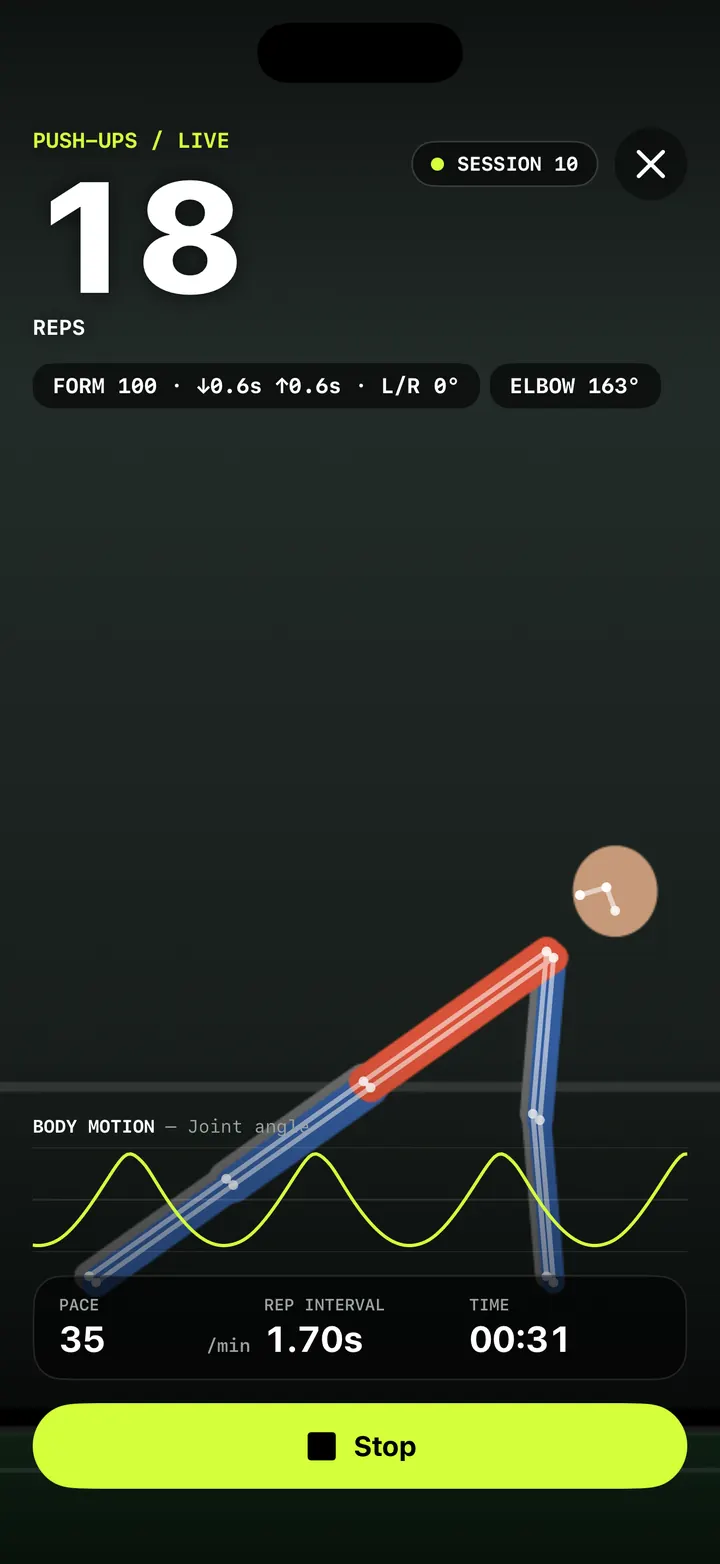
The live screen has a small chip at the top with your running score, for example "FORM 92 · CLEAN 11/12 · ↓0.9s ↑0.7s". The arrows show how long the last rep took going down and coming up. The chip turns amber if the score falls below 70. Below the count, BODY MOTION — Joint angle draws your knee angle as a wave, and the stats bar shows PACE (reps per minute), REP INTERVAL and TIME.
Symmetry, cues and fatigue (Pro)
Pro adds a closer look at each rep.
- Left/right difference. The Rep quality card on the result shows how many degrees apart your two knees were on average. If one side keeps doing less work, this is where it shows.
- Form view. A KNEE angle readout during the set, and a count that changes colour with the last rep's score.
- Spoken cues. If the same fault appears on 2 reps in a row, you get a banner and a short cue: "Go deeper", "Slow down" or "Keep both sides even". Cues are at least 4 seconds apart.
- Fatigue alert. After at least 6 reps, TouchTally compares your last 3 reps with your first 3. If they have become clearly slower or shorter, it says once: "Your form is slipping. Take a short rest?"
- Form per rep. A bar for every rep in its form colour. Tap a bar to jump to that rep in the replay.
Without Pro, the result still shows the Rep quality card with your average Tempo down / hold / up and a count of each fault, plus a locked Symmetry and fatigue card.
Train with a tempo
Slow, controlled squats are a classic way to build strength, and TouchTally can pace them. In Session setup (the sliders button on the Train screen), choose the Metronome mode. For Squats you can pick:
- Steady beat: one click per rep at your chosen BPM
- Tempo 3-1-1: 3 seconds down, 1 second hold, 1 second up
- Tempo 2-0-2 or Tempo 4-0-1
With a tempo, a rep should finish as the next "down" click sounds. The live screen shows a line such as "TEMPO 3-1-1 · ON TIME 80%", and the On the beat card on the result gives your on-time percentage and average offset. The Metronome mode is part of Pro; see rhythm stats and the metronome for how the click works.
Pro also has Sets and rest: pick 1–10 sets, 1–100 reps per set and 10–300 seconds of rest. Each set ends at the rep target, then the rest starts by itself.
Track squats over time
Every session goes into your history with the reps, the time and the form score. You can earn the Clean form badge with a form score of 90 or more over at least 10 reps, and with Pro, your records include Best form score, Most in 30 s and Most in 60 s. See training history and records.
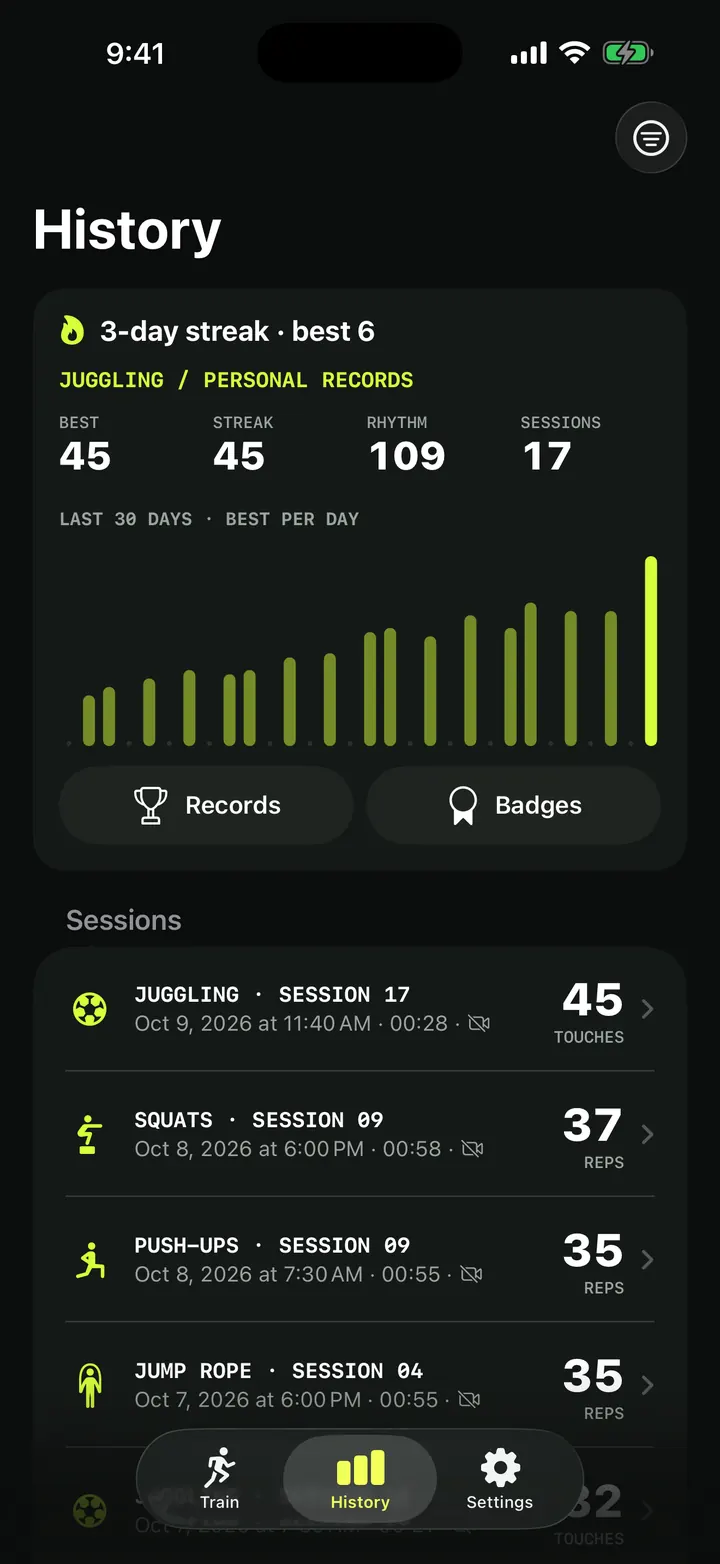
Doing push-ups too? The push-up form score works the same way with elbow depth and a hip line check. For a static hold, try the plank timer.
Is the squat counter free?
Yes. Squats are a free drill with unlimited live counting, and the form score and clean reps are included. Pro adds the left/right difference, spoken cues, the fatigue alert, tempo training and sets.
Where should I put the phone to count squats?
At hip height, about 2 m (6.5 ft) away and side on, with your hips, knees and ankles in view.
What counts as a clean squat in TouchTally?
A rep that reaches full depth. Speed and evenness still affect the score, but only depth decides whether a squat is clean.
Can TouchTally count weighted squats?
The drill is set up for bodyweight squats seen from the side. A bar or plates can hide the joints the camera needs, so counts and scores may be less reliable.
Can I hear cues while I squat?
Yes, with Pro. Turn on Voice form cues in Settings and choose which ones are spoken under Spoken cues.
Keep reading
Push-up counter with a form score: count clean reps, not just reps
How TouchTally counts push-ups with the iPhone camera, scores each rep for depth, tempo and hip line, and adds voice form cues and a fatigue alert with Pro.
Read
Plank timer that checks your form: only count the seconds you hold
How TouchTally's plank timer uses the iPhone camera to count only the seconds your body stays in line, warns when your hips sag or rise, and maps the hold.
ReadTraining history and personal records: every session in one place
How TouchTally's History tab works: the streak line, personal records per drill, the 30-day best-per-day chart, filters, session list and the iPad layout.
ReadCount jump rope, push-ups and squats with your phone
Where to put your phone for each TouchTally drill, how jump rope can be counted by the sound of the rope, and how sets, rest and form feedback work.
Read guide