Ball motion chart and rhythm stats: read how even your touches are
How to read TouchTally's BALL MOTION chart, rhythm per minute and touch interval, and how the Pro metronome scores your touches against a steady beat.
Short answer
While you juggle, TouchTally draws the ball's height over the last 6 seconds and shows three numbers under it: RHYTHM (touches per minute), TOUCH INTERVAL (the time between touches) and TIME. Even arcs and a steady interval mean a controlled session. With Pro, the Metronome mode plays a click and scores how many touches land on the beat.
A count tells you how many touches you made. It does not tell you how they felt: whether you were in control or chasing the ball around the garden. TouchTally adds a live chart and two rhythm numbers so you can see the difference, during the session and afterwards.
The BALL MOTION chart
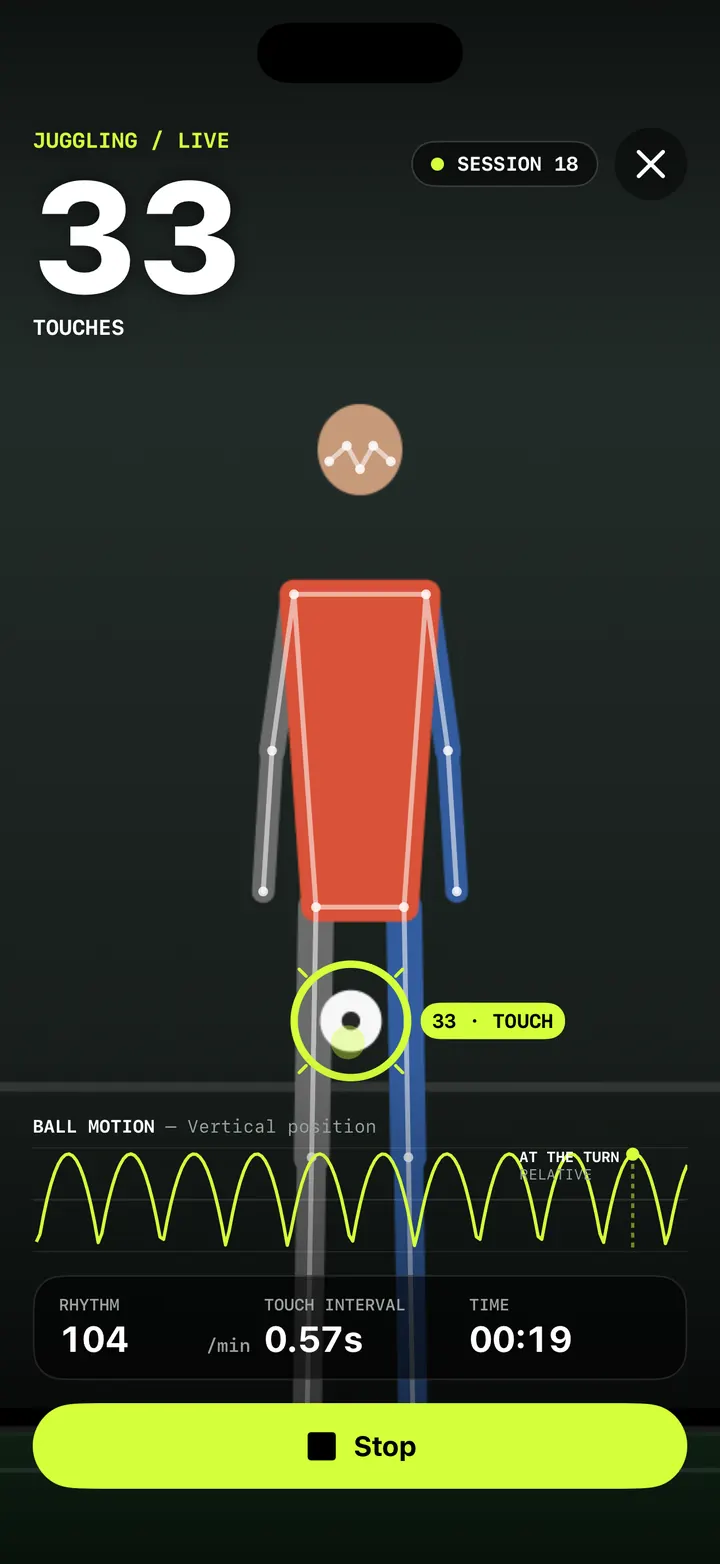
On ball drills such as Juggling, the chart under the live count is titled BALL MOTION — Vertical position. It draws where the ball is, up and down, over the last 6 seconds.
- Each arc is one up-and-down of the ball. A touch sends it up, it turns, it comes down.
- Dots on the line mark the touches that were counted.
- The latest turn gets its own marker: a dot, a dashed line down to the axis and the label AT THE TURN / RELATIVE. "Relative" is a reminder that the height is measured against the frame, not in metres.
What to look for is shape, not height. Arcs of about the same size, spaced evenly, mean you are touching the ball with the same force each time. A tall spike usually means one rushed kick; a short, flat arc often means a touch that nearly got away.
Other drills get the same chart with a different signal. Push-ups and Squats show BODY MOTION — Joint angle, Jump rope shows BODY MOTION — Hip height and Plank shows BODY MOTION — Body line.
RHYTHM, TOUCH INTERVAL and TIME
Three numbers sit under the chart while you play.
| Readout | What it shows |
|---|---|
| RHYTHM | Touches per minute, worked out over the last 10 seconds |
| TOUCH INTERVAL | The typical time between your recent touches, in seconds |
| TIME | How long the session has been running |
Because RHYTHM looks at the last 10 seconds only, it reacts quickly. If you start to rush, the number goes up within a few touches. TOUCH INTERVAL uses the middle value of your recent gaps, so one odd touch does not throw it off.
On rep drills the same bar reads PACE, REP INTERVAL and TIME, and on Plank it reads FORM, HELD and TIME.
The numbers after the session
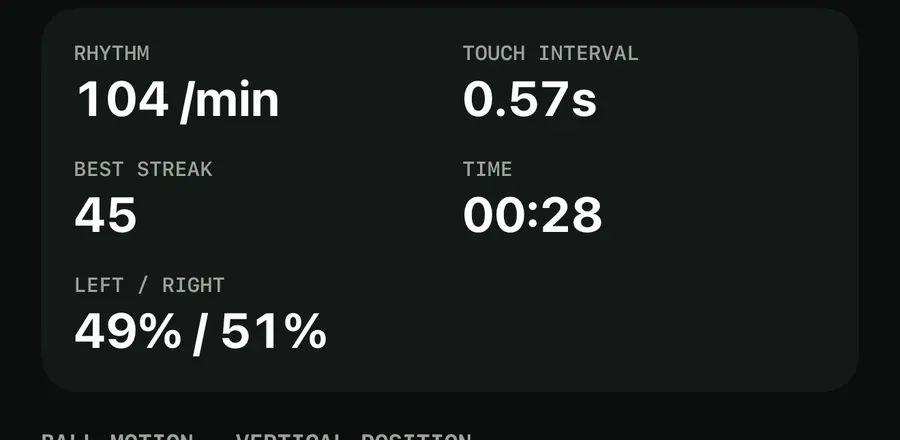
When you tap Stop, the result screen shows the session's totals. For juggling that means RHYTHM, TOUCH INTERVAL, BEST STREAK and TIME, plus LEFT / RIGHT when the app could tell which foot made each touch.
The result RHYTHM is worked out from the touches inside your streaks, so the pause while you pick up a dropped ball does not drag it down. Below the numbers, a chart of the whole session (for example BALL MOTION — VERTICAL POSITION) lets you see where the rhythm held and where it broke.
If your touches were even across the session, the coach's note on the result screen can say so, for example "Steady rhythm at 104 per minute." Your best streak and other records then go to your history; see training history and personal records.
Train to a beat with the metronome (Pro)
Seeing your rhythm is one thing. Holding it on purpose is another. The Metronome mode plays a click and scores each touch or rep against it.
Start a metronome session
- On the Train screen, pick your drill, then tap the sliders button at the top right to open Session setup.
- Under Mode, choose Metronome: "Touch or rep on the click; scored on the beat."
- Set Tempo with the stepper. It runs from 40 to 200 BPM in steps of 5 and starts at 120.
- For Push-ups and Squats, choose Steady beat (one click per rep) or a tempo pattern such as Tempo 3-1-1. Ball drills use the steady beat.
- Tap Start and touch the ball on each click. Every fourth click is accented so you can find the bar.
During the session, the live screen shows a line such as "120 BPM · ON BEAT 87%". On the result screen, the On the beat card gives your On beat percentage and your Average offset in milliseconds, which tells you whether you tend to be early or late.
A few details make the scoring fair. The click is a soft, low tone, so when you count Jump rope by sound it is not mistaken for a jump. The delay of your audio output, including Bluetooth headphones, is taken off before your touches are scored. The click still plays when the Ring/Silent switch is set to silent, and it stops when you pause.
A good way to use it: set the tempo a little below your usual RHYTHM, hold it for a full session, then raise it by 5 BPM. For more ideas, see how to beat your juggling record.
Ways to use the rhythm stats
- Compare like with like. A RHYTHM of 104 with a best streak of 45 is a different session from 130 with a best streak of 12. Faster is not always better.
- Watch the interval when you tire. If TOUCH INTERVAL shrinks late in a streak, you are rushing to save the ball.
- Use it with weak-foot work. Rhythm usually drops on the weaker foot. Our post on weak-foot mode and juggling challenges shows how to train that side, and the live juggling counter covers the basic setup.
What is a good juggling rhythm?
There is no single target. A steady rhythm you can hold for a long streak is worth more than a fast one you lose after a few touches. Use your own sessions as the baseline and look for an even TOUCH INTERVAL.
Why does RHYTHM change so fast during a session?
Live RHYTHM is worked out over the last 10 seconds, so it follows your recent touches rather than the whole session. The result screen gives the figure for the whole session.
Is the BALL MOTION chart free?
Yes. The live chart, RHYTHM, TOUCH INTERVAL and the session chart on the result screen are free. The Metronome mode is part of Pro.
Will the metronome click get counted as a touch or jump?
No. The click is a soft, low tone chosen so that it is not heard as a jump when you count Jump rope by sound, and juggling is counted by the camera.
Can I use Bluetooth headphones with the metronome?
Yes. TouchTally takes the audio output delay, including Bluetooth, into account when it scores your touches against the click.
Keep reading
Live juggling counter: count every touch with your iPhone camera
How TouchTally counts soccer juggling touches live with the iPhone camera: the setup check, locking on to your ball, the big count and the spoken milestones.
Read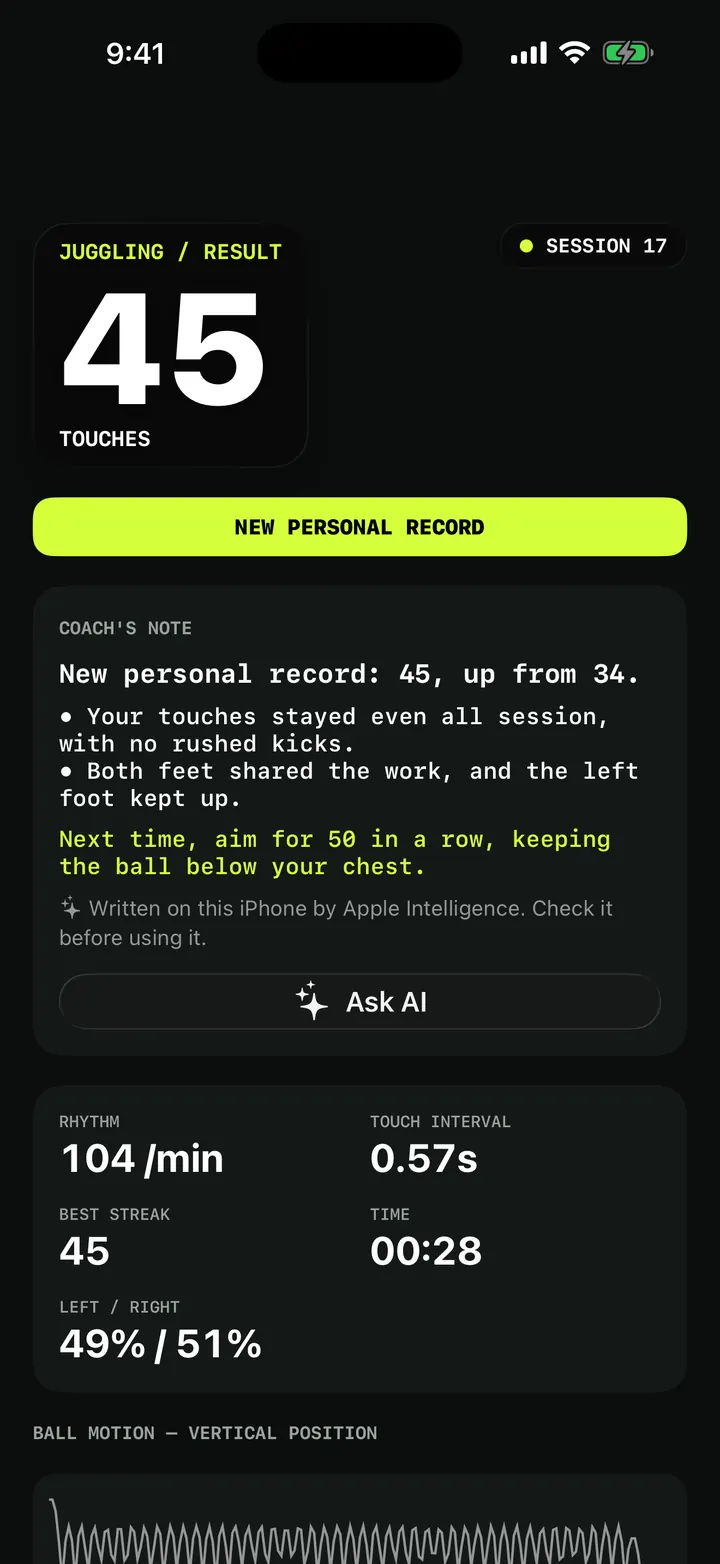
Weak-foot juggling and challenges: patterns, height and first-touch control
Train your weak foot with TouchTally: track left and right touches for free, then try Pro juggling challenges for patterns, ball height and first-touch control.
Read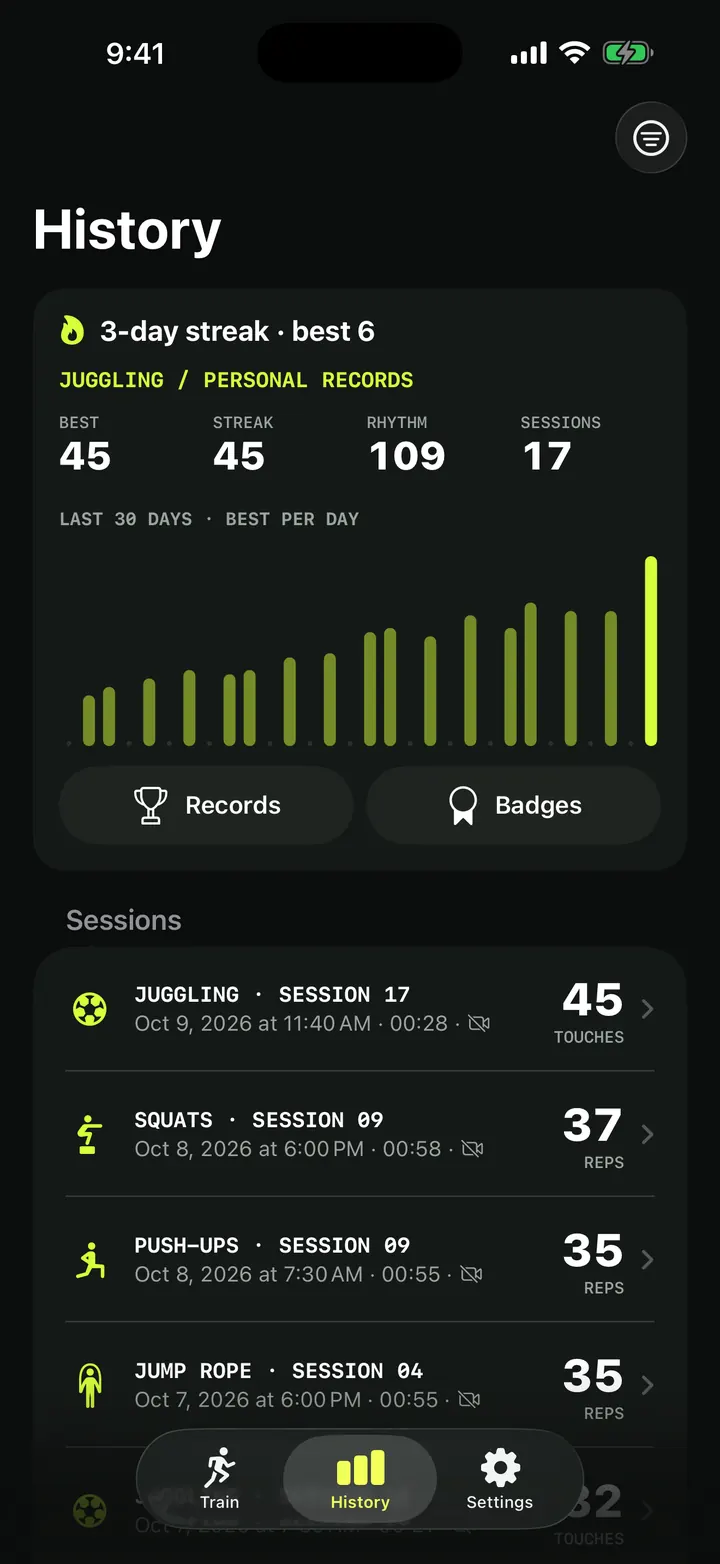
Training history and personal records: every session in one place
How TouchTally's History tab works: the streak line, personal records per drill, the 30-day best-per-day chart, filters, session list and the iPad layout.
ReadHow to beat your juggling record: rhythm, replay and records
Use TouchTally’s rhythm, touch interval, slow-motion replay, streaks and challenges to understand why a juggling run ends and how to make the next one longer.
Read guide