Training streaks, a weekly goal and badges that keep you coming back
How TouchTally counts day streaks with a weekly freeze day, sets a weekly training goal with reminders, awards 22 badges and puts it all in a widget.
Short answer
TouchTally counts a day streak for every day you train at least once, and each calendar week forgives one missed day so a single rest day does not reset it. You set a weekly goal of 1 to 7 training days, and optional reminders nudge you only when that goal is still within reach. Badges reward milestones such as a 7-day streak or 100 juggling touches, and a Home Screen or Lock Screen widget keeps your streak in sight.
Getting better at juggling or push-ups is mostly about turning up. Short, regular sessions beat one long session a month. TouchTally builds a few small habits around the counter: a streak, a weekly target, reminders and badges. All of them work from the sessions you count, so there is nothing extra to log.
How the day streak works
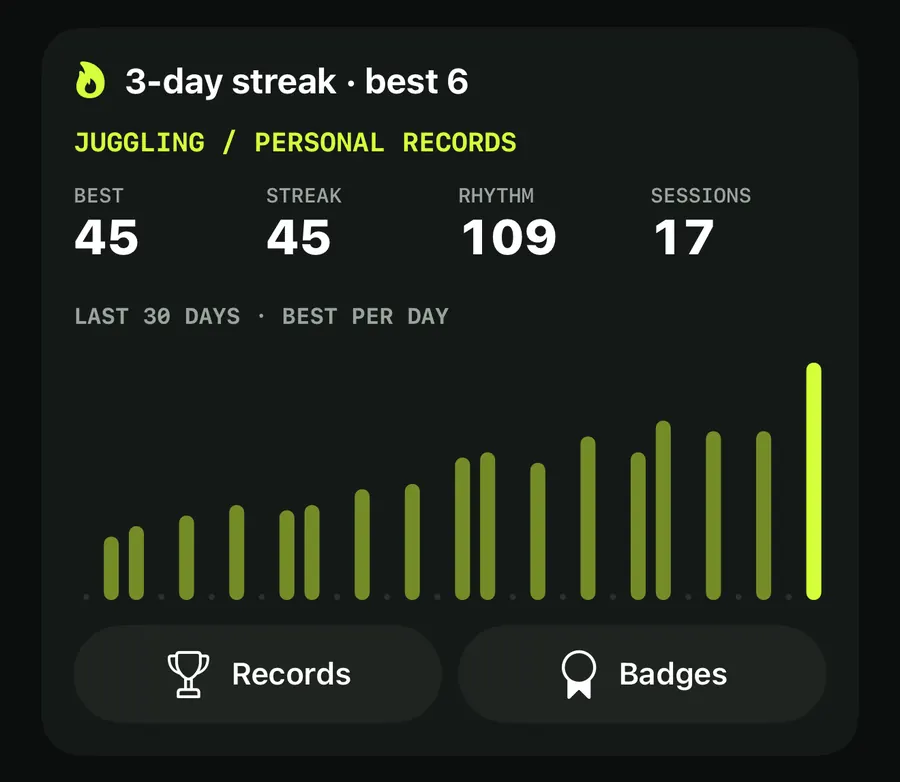
A day counts towards your streak when it has at least one session in any drill. Your current streak and your best one show in a few places:
- at the top of the History tab, for example "3-day streak · best 6", or "Train today to start a streak"
- as a flame button next to the title on the Train screen
- as a Streak card on the Result screen, "N days in a row" with your best, once the streak is 2 days or more
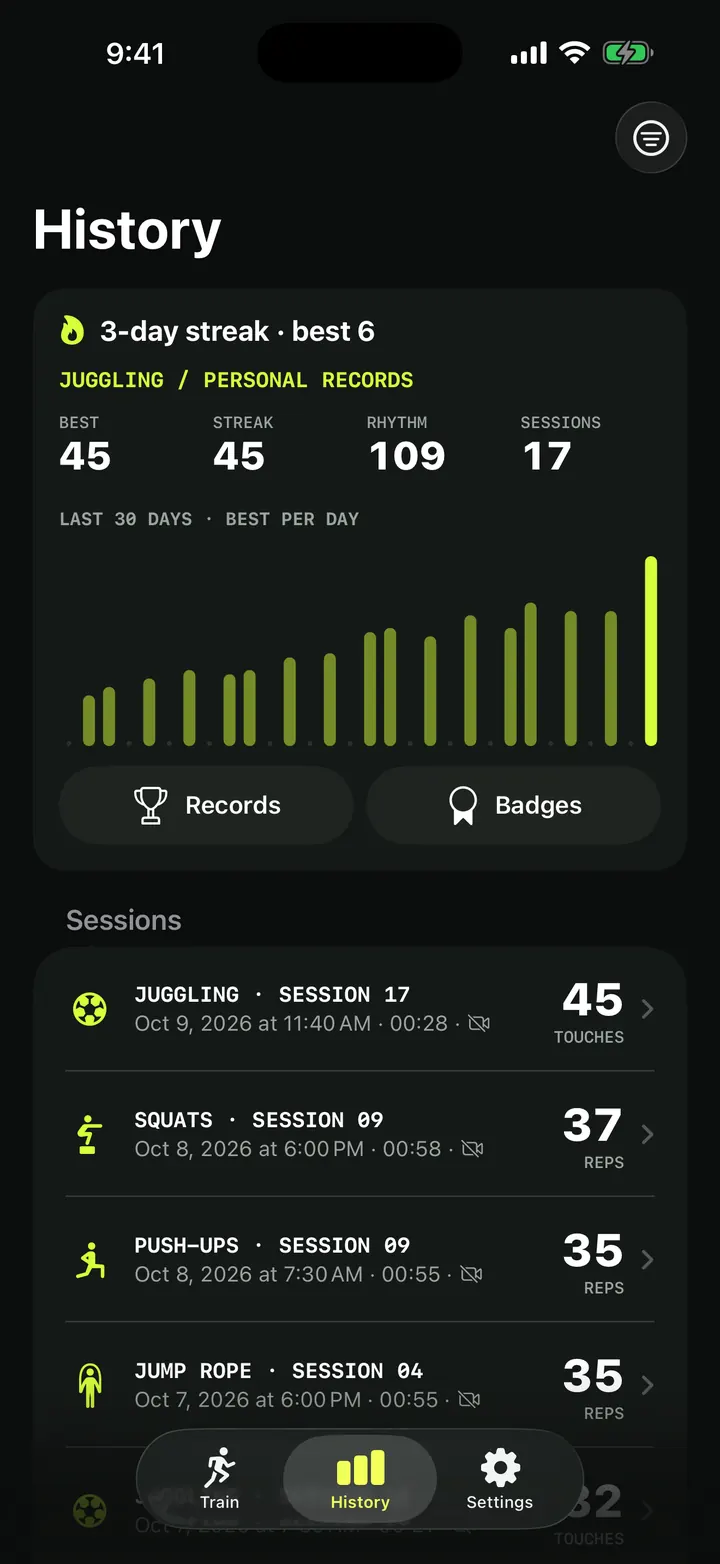
If you trained yesterday but not yet today, the streak stays alive for the rest of today. Days follow the time zone of your iPhone.
The weekly freeze day
Each calendar week forgives one missed day. Train on days 1, 2 and 4, and you have a 4-day streak, with day 3 covered by the freeze. Two missed days in a row always end the streak.
The flame button on the Train screen explains it in its menu: "Each week, one missed day doesn't break the streak." When a freeze has saved you, it also says "A freeze day kept your streak going."
Set a weekly goal
Streaks reward every day; the weekly goal is about the week as a whole. You choose how many training days you want per week, from 1 to 7. The default is 3.
Set your weekly goal and a reminder
- Open the Settings tab.
- Under Goals and Health, tap Weekly goal and pick a number, for example "3 days a week".
- Tap Training reminder and choose a time: 7:00, 12:00, 16:00, 17:00, 18:00, 19:00 or 20:00. Choose Off for no reminders.
- Allow notifications when iOS asks.
- Check your progress from the flame button on the Train screen: it shows "This week: x of y training days".
Reminders that know when to stay quiet
Training reminders are local notifications planned on your iPhone for the next 7 days. They do not fire on every day at the chosen time. A day is skipped when:
- you have already trained that day
- this week's goal is already met
- the goal can no longer be reached this week
The notification is titled "Time to train" and tells you how far you are from the goal, for example "One more training day reaches this week's goal."
If notifications are turned off for TouchTally, the app tells you: "Turn on notifications for TouchTally in Settings to get training reminders."
Badges
Tap Badges on the History card to see the full collection. The screen shows "N of M earned", with earned badges in colour and the rest greyed out. There are 22 badges:
| Group | Badges |
|---|---|
| Sessions | First session, 10 sessions, 50 sessions |
| Streaks | 3-day streak, 7-day streak, 30-day streak |
| Juggling | 10, 25, 50, 100, 250, 500 and 1,000 touches in one session |
| Reps | 100, 1,000 and 10,000 reps in total |
| Plank | 1-minute plank, 3-minute plank |
| Skills | Clean form (form score 90 or more over at least 10 reps), Weak foot (10 weak-foot touches in a row) |
| Variety | All-rounder (try every drill), Challenge won (beat a friend's challenge) |
When a session earns something new, the Result screen shows a Badges earned card.
Badges are worked out from your session history each time, not stored separately. Sessions you edited still count. If you delete or edit a session, a badge that depended on it can go away again.
For a target to chase, the juggling badges pair well with our guide to beating your juggling record.
Keep your streak in sight: widgets and controls
You do not have to open the app to check your streak.
- Streak and goal widget. Add it to the Home Screen (small or medium) or the Lock Screen (circular or rectangular). It shows the flame, your streak and "DAY STREAK", or "Train today to keep your streak" when the streak is at risk. Below that you see "x/y this week" or "Weekly goal met", a progress bar and a Train now button. The medium size adds your last drill and your best.
- Train now control. Add it to Control Center, the Lock Screen or the Action button. It "Opens the camera for your last drill."
- Shortcuts. Run the Show my stats action from Siri or the Shortcuts app, and TouchTally answers with your streak and this week's progress, plus your best score, with a Train now button.
The widget does not show your nickname, so it is safe on a shared Lock Screen.
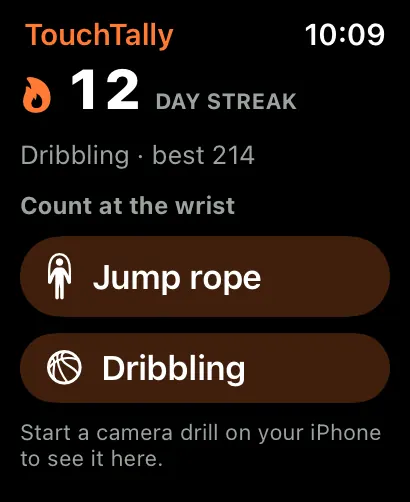
On Apple Watch, the TouchTally app shows your day streak at the top, and a Streak complication puts it on your watch face. More in the Apple Watch post.
Your streak sits next to your records in History. See training history and personal records for the rest of that screen.
Does missing one day reset my streak?
Not always. Each calendar week forgives one missed day. Two missed days in a row, or a second missed day in the same week, end the streak.
Will reminders nag me after I have trained?
No. A reminder is skipped on days you have already trained, once the week's goal is met, and when the goal can no longer be reached that week.
Can I lose a badge?
Yes. Badges are worked out from your sessions, so deleting or editing a session that earned a badge can take it away.
Are streaks and badges part of Pro?
No. Streaks, the weekly goal, reminders, badges and the widget are free. A few badges need Pro drills such as Plank.
Which widget sizes are there?
Small and medium on the Home Screen, and circular and rectangular on the Lock Screen.
Keep reading
Training history and personal records: every session in one place
How TouchTally's History tab works: the streak line, personal records per drill, the 30-day best-per-day chart, filters, session list and the iPad layout.
Read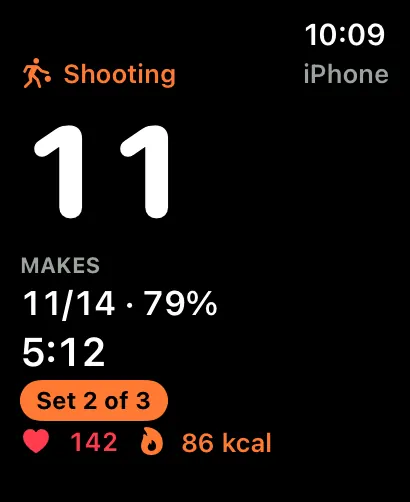
TouchTally on Apple Watch: live count, controls and wrist counting
See the live count from your iPhone on Apple Watch, pause or skip a block from the wrist, record a Health workout and count jump rope with the Watch alone.
Read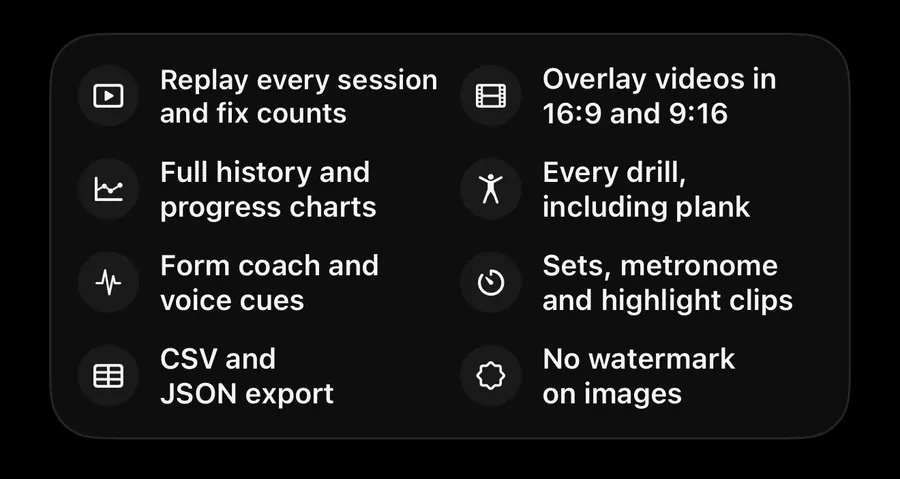
TouchTally Free vs Pro: what you get on each plan
What the free TouchTally plan includes, what Pro adds, and how the Yearly, Monthly and Lifetime plans differ. Counting stays free and unlimited on 8 drills.
ReadHow to beat your juggling record: rhythm, replay and records
Use TouchTally’s rhythm, touch interval, slow-motion replay, streaks and challenges to understand why a juggling run ends and how to make the next one longer.
Read guide