TouchTally Free vs Pro: what you get on each plan
What the free TouchTally plan includes, what Pro adds, and how the Yearly, Monthly and Lifetime plans differ. Counting stays free and unlimited on 8 drills.
Short answer
TouchTally counts for free, with no limit on sessions, on eight drills including juggling, jump rope, push-ups, squats and dribbling. The free plan also keeps your last 7 days of history, the replay of your latest session, the coach's note and Apple Health. Pro adds the other drills, your full history, replay and count fixing for every session, overlay video export, data export and the coaching tools.
TouchTally is built so that the basic job, counting touches and reps with the camera, never needs a purchase. This page lists exactly what each plan covers, so you can decide whether Pro is worth it for how you train.
What the free plan includes
Counting, with no limit. Every session on a free drill counts live, as long and as often as you like. There is no account and no sign-up.
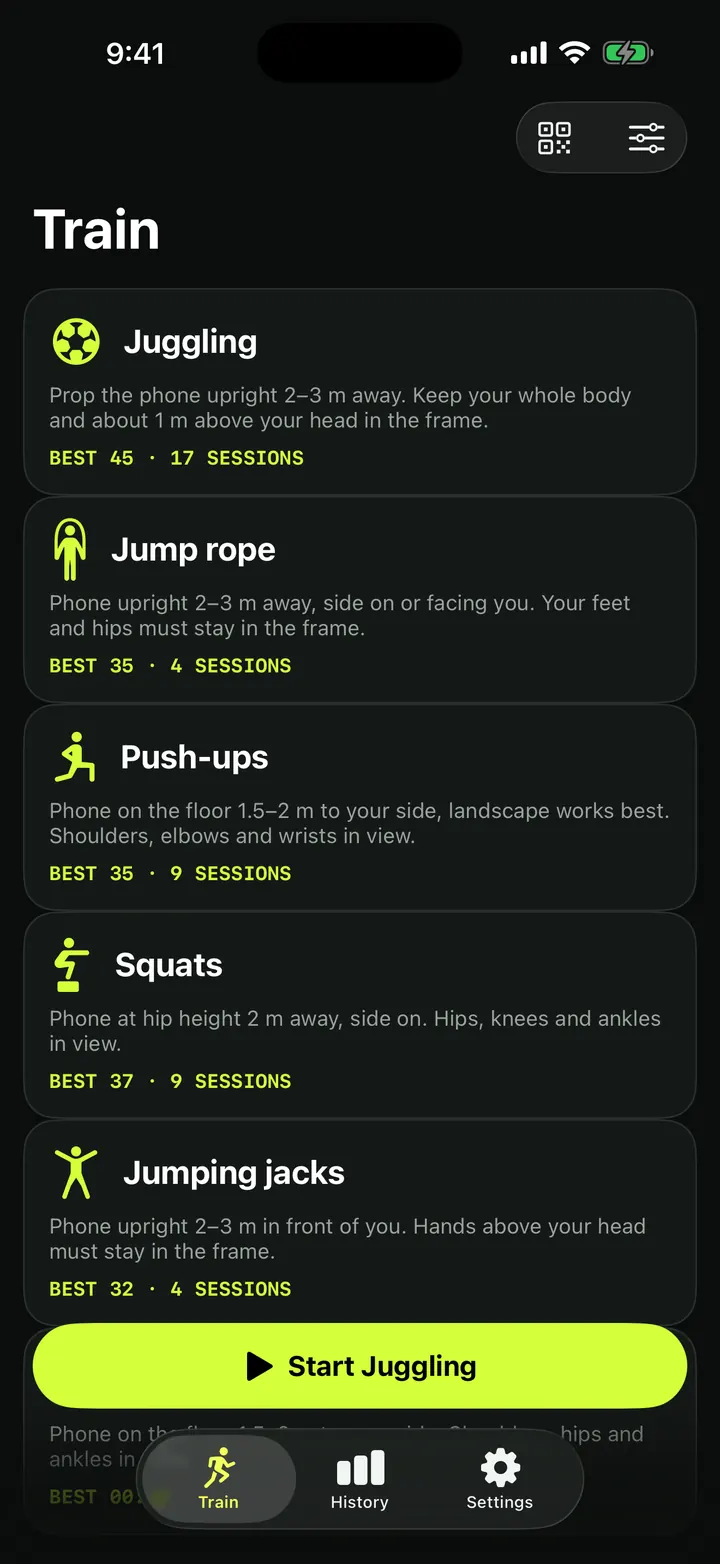
Eight drills. Juggling, Jump rope, Push-ups, Squats, Dribbling, Shuttle keep-ups, Volley keep-ups and Racket bounces.
Results and the coach's note. Every session ends with the count, the stats for that drill and a coach's note with one tip for next time. Ask AI and Plan my week work on the free plan too. See coach's note and Ask AI.
7 days of history. The free plan shows sessions from the last 7 days. In the app's words: "Free keeps 7 days in view. Pro shows your whole history. Nothing is deleted." Older sessions stay on your iPhone and come back the moment you upgrade.
Replay of your latest session. You can watch your most recent session back, touch by touch.
Result images. Share a picture of your result. "Free exports carry a small TouchTally mark."
Also free:
- The Just count and Workout timer session modes.
- Counting jump rope by sound, spoken milestones and beeps.
- Challenges, streaks, the weekly goal, badges and widgets.
- Saving sessions to Apple Health.
- Minors mode and the Blur faces switch, covered in face blur and Minors mode.
- The Apple Watch app: the live count, controls and jump rope at the wrist.
What Pro adds
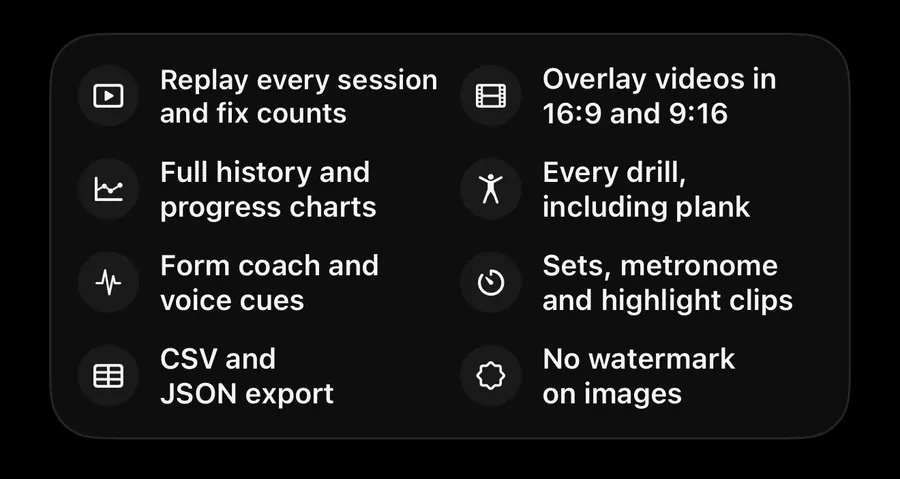
The Pro screen sums it up in eight lines:
- "Replay every session and fix counts"
- "Overlay videos in 16:9 and 9:16"
- "Full history and progress charts"
- "Every drill, including plank"
- "Form coach and voice cues"
- "Sets, metronome and highlight clips"
- "CSV and JSON export"
- "No watermark on images"
In more detail:
- Five more drills: Jumping jacks, Plank, Shooting, Vertical jump and Court footwork.
- Replay and fix counts. Open the replay of any session, not just the latest, and add or delete touches by hand. More in replay and fix counts.
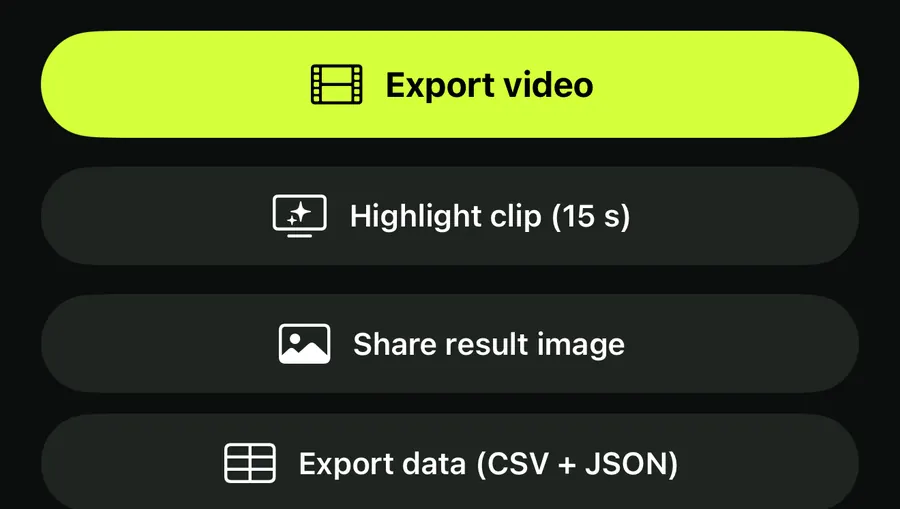
- Videos. Export an overlay video with the count burned in, in 9:16 or 16:9, plus a Highlight clip (15 s). See overlay video export.
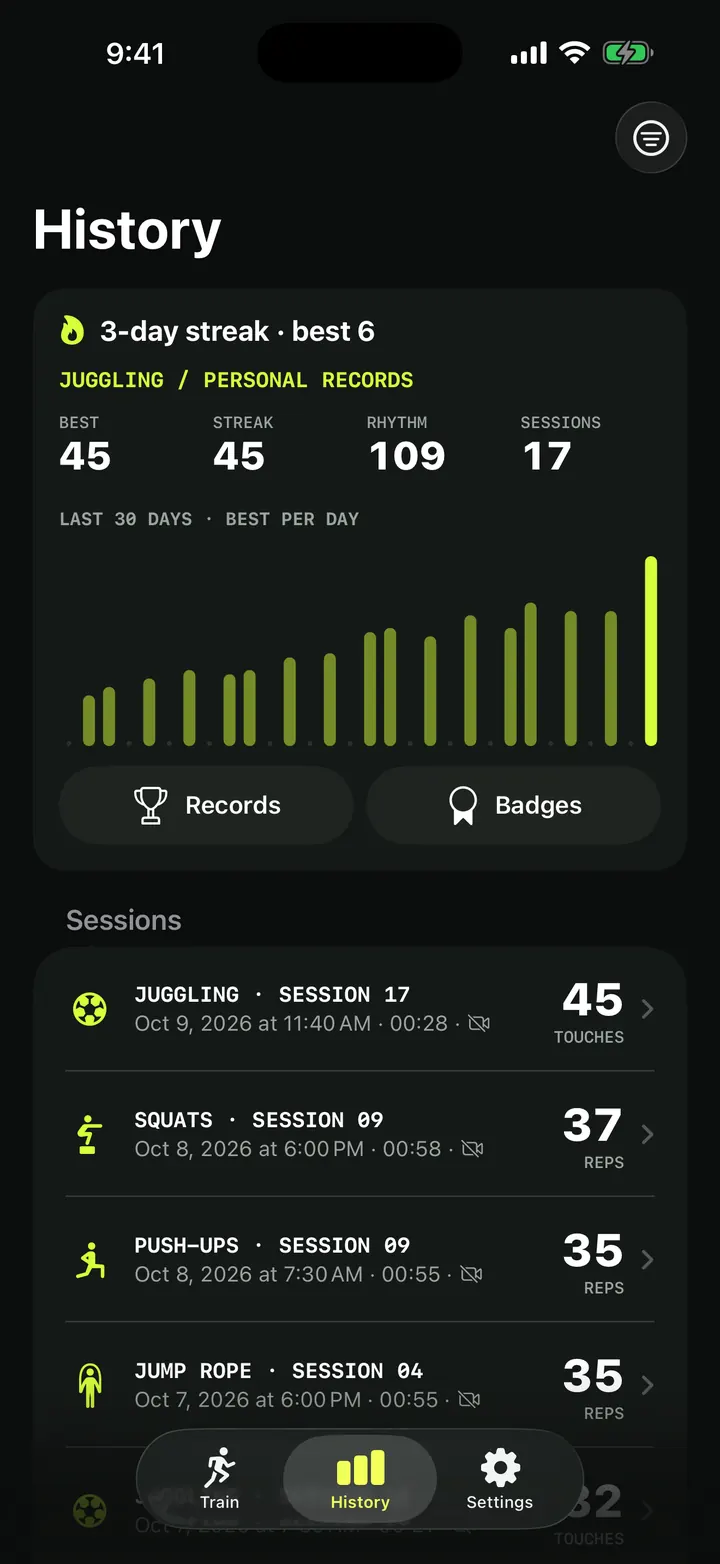
- Your whole history. Every session, the full progress charts, the extended personal records and the leaderboard. On the free plan, the extended records show "—".
- Data. Export data (CSV + JSON), the PDF progress report, and Back up with a password in Settings.
- Coaching tools. Form view and score colouring, Voice form cues, symmetry and fatigue, the plank timeline, ball height and speed, the angle tool in Replay and the next-session progression.
- Session modes. Sets and rest, Pattern drill, Height challenge, First-touch control and Metronome.
- More setup options. AR setup, and dribbling at the wrist on Apple Watch.
- No mark on result images.
The Pro plans
Pro comes in three plans, named in the App Store as TouchTally Pro Yearly, Monthly and Lifetime:
- Yearly is a subscription and starts with a free week. The app labels it "7 days free".
- Monthly is a subscription billed each month.
- Lifetime is a single purchase with no renewal.
All three unlock the same features. The current prices are shown on the Pro screen and in the App Store, in your local currency.
Upgrade or restore Pro
- Open Settings in TouchTally.
- Tap Upgrade to Pro to see the plans, or tap a locked feature anywhere in the app.
- Pick a plan and confirm with the App Store.
- Bought Pro before, on this or another iPhone? Tap Restore purchases. You'll see "Pro restored" or "No purchases found".
- To change or cancel a subscription later, use Manage subscription in the same section.
The Pro screen also has Restore, a field to redeem an offer code, and links to the terms and the privacy policy. When Pro is on, Settings shows TouchTally Pro with the status Active.
New to TouchTally? Start with the juggling counter setup guide to get a clean count on the free plan before deciding.
Is TouchTally free?
Yes. Counting on the eight free drills is free with no session limit, and so are the last 7 days of history, the latest replay, the coach's note, Apple Health and Minors mode.
What happens to my old sessions on the free plan?
They stay on your iPhone. The free History shows the last 7 days and says how many older sessions are hidden. Upgrading shows them all again.
Is there a free trial of Pro?
The Yearly plan starts with a free week, shown as "7 days free" in the app. Monthly and Lifetime don't show a trial. The Pro screen shows the current offer before you confirm.
Do I lose my data if I cancel Pro?
No. Sessions are stored on your iPhone and stay there. Older sessions are hidden from the free History, not deleted, and Pro-only features lock again.
How do I get Pro back on a new iPhone?
Sign in with the same Apple Account, open Settings in TouchTally and tap Restore purchases.
Keep reading
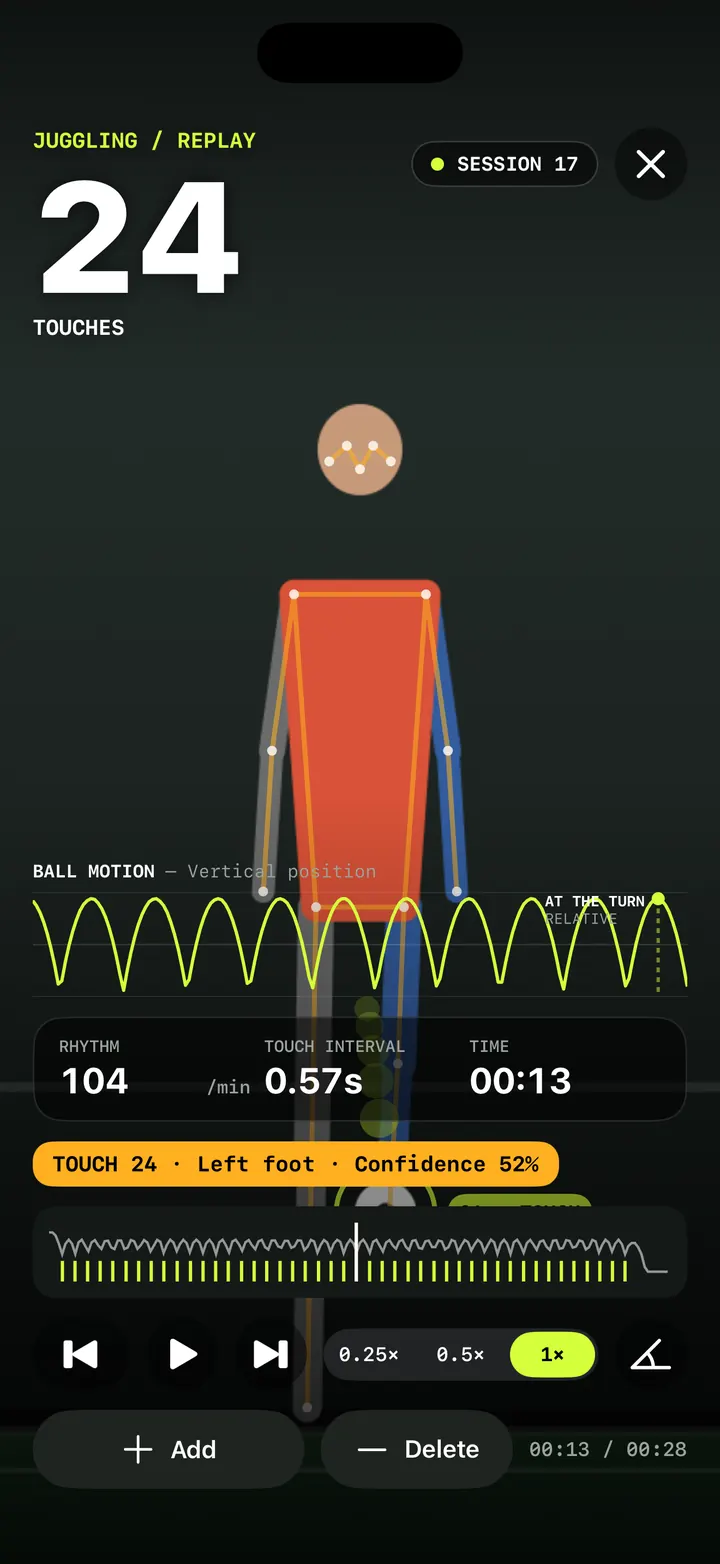
Replay and fix your count: check every touch in slow motion
Step through every counted touch or rep in TouchTally's replay at 0.25×, spot low-confidence counts, and with Pro add or delete the ones the camera got wrong.
Read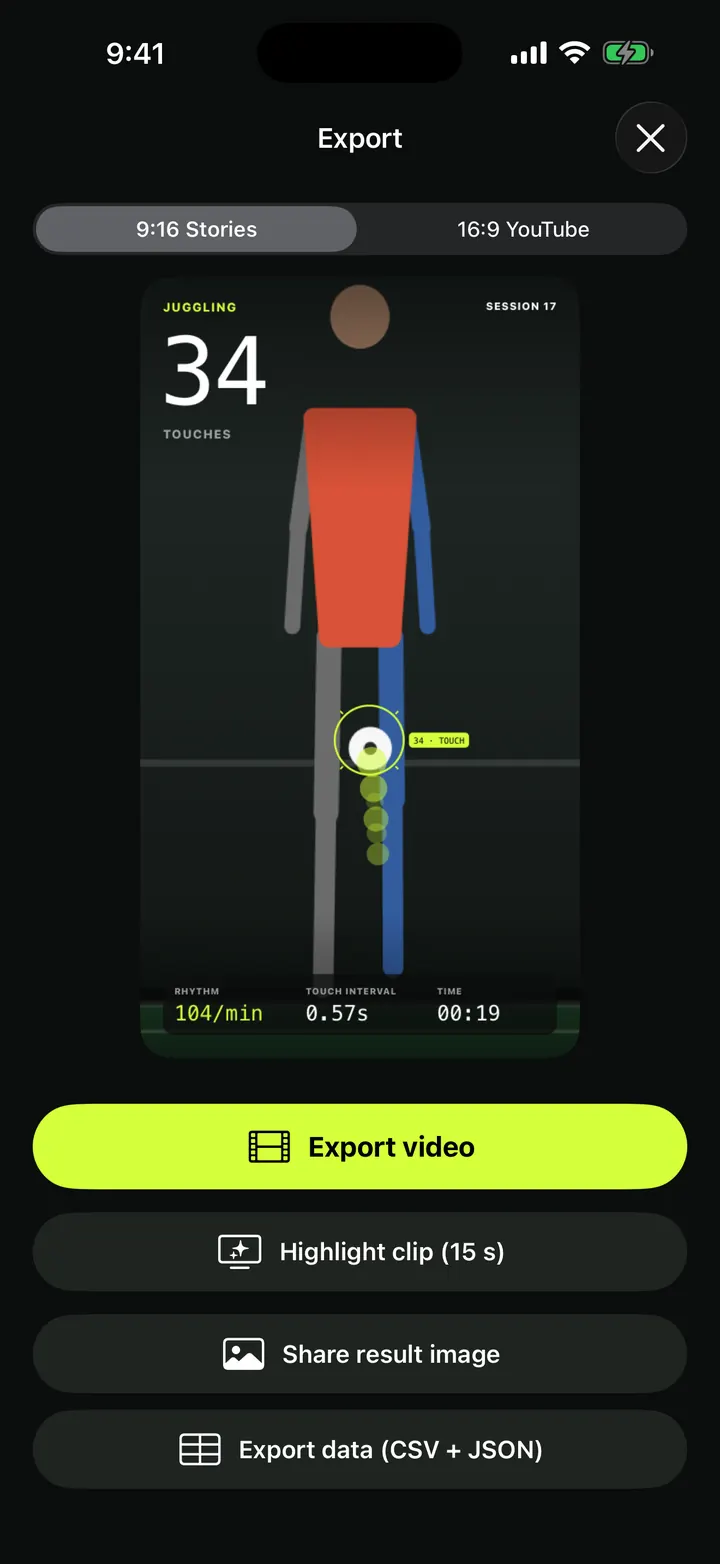
Overlay video export: your session with the count burned in, 9:16 or 16:9
Export a TouchTally session as an mp4 with the live count, ball ring and stats on top, in 9:16 for Stories or 16:9 for YouTube, or cut a 15 s highlight clip.
ReadTraining history and personal records: every session in one place
How TouchTally's History tab works: the streak line, personal records per drill, the 30-day best-per-day chart, filters, session list and the iPad layout.
ReadHow to set up your phone to count soccer juggling
Where to put your phone, how far away, and what light and background to use so TouchTally counts every juggling touch. Plus quick fixes when the count is off.
Read guide