Basketball dribble counter: count dribbles with your iPhone or Apple Watch
Count basketball dribbles with TouchTally: set the iPhone at knee height, see rhythm and best streak, and with Pro count dribbles at the wrist on Apple Watch.
Short answer
TouchTally counts basketball dribbles with the iPhone camera. Stand the phone upright 2–3 m away at knee height, keep the ball and your hips in view, and each bounce off the floor adds one to the count. You also get your rhythm per minute, the time between dribbles and your best unbroken streak. Dribbling is a free drill; counting dribbles from an Apple Watch on your wrist is part of Pro.
Dribble drills are all about volume and rhythm, and both are hard to track while your eyes are up. TouchTally counts for you, so you can do a timed set and know exactly how many dribbles you got and how even they were.
Where to find it
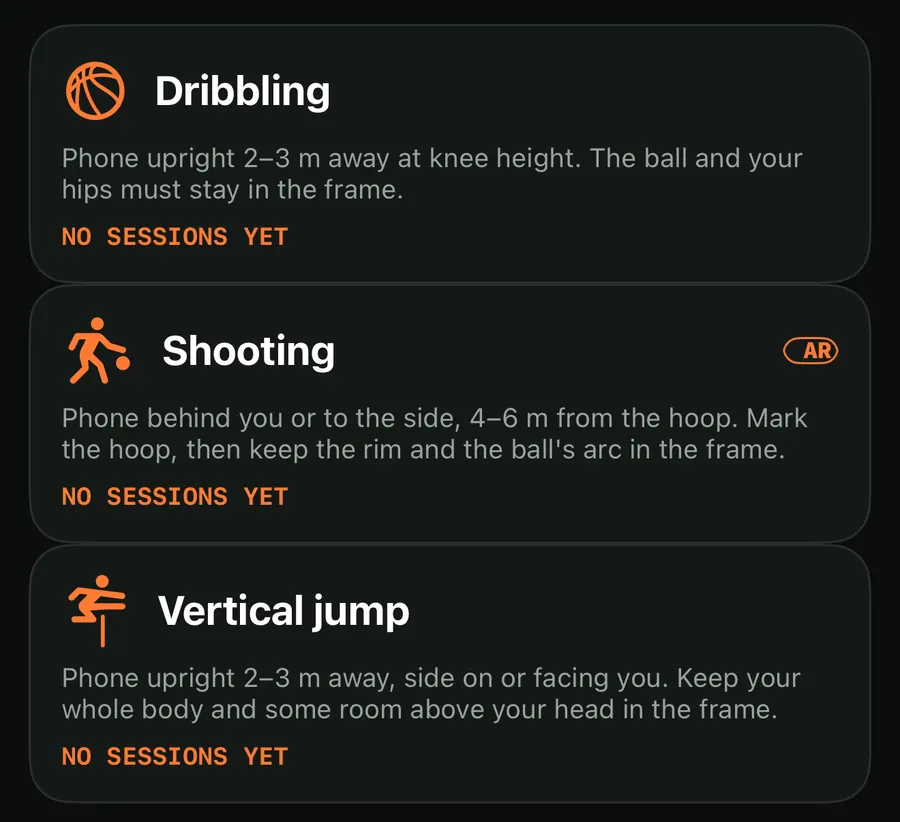
Dribbling sits under Basketball on the Train screen, next to Shooting and Vertical jump. Each card shows the setup in one line, so you know where to put the phone before you start.
How a dribble is counted
The camera follows both you and the ball. A dribble is counted at the low point of the ball's path, when it hits the floor and comes back up. A few rules keep the count clean:
- Below the hips. The low point has to be below your hips. A ball tossed up and caught at chest height does not count.
- A real drop. The ball has to fall a clear distance from its high point, so small wobbles in your hand are ignored.
- Not too fast. Two dribbles need at least 0.18 seconds between them, which filters out double readings of the same bounce.
- Streaks end when the ball disappears. If the camera loses the ball for more than 1.2 seconds, the current streak ends.
This is why the setup line asks for the ball and your hips in the frame. The counter uses your hips as the reference line.
Count a dribbling set
- Open TouchTally, tap Basketball and pick Dribbling.
- Stand the phone upright 2–3 m away at knee height. The ball and your hips must stay in the frame.
- Wait for the setup checklist to turn green, then tap the ball on the screen to lock on to it.
- Tap Start, wait for the countdown and start dribbling.
- Tap Stop when the set is done. The session is saved to History.
What the numbers mean
During the set you see the dribble count in large type and the BALL MOTION chart, where each dip is one bounce. When you stop, the result shows four numbers:
| Readout | What it tells you |
|---|---|
| RHYTHM | Dribbles per minute |
| TOUCH INTERVAL | The time between dribbles |
| BEST STREAK | Your longest run without losing the ball |
| TIME | How long the set lasted |
A steady chart with even dips means a steady hand. If the dips spread out near the end of a set, your rhythm dropped. The ball motion and rhythm post explains the chart in more detail; it works the same way for juggling and dribbling.
If a dribble was missed or doubled, open the session's replay and step through each counted bounce. With Pro you can add or delete a dribble by hand. See replay and fix your count.
Dribbling with Apple Watch
The TouchTally Apple Watch app helps in two ways.
It mirrors the phone. While the iPhone counts, the Watch shows the live count, the clock and "iPhone" as the source. With Health access, the Watch also runs a workout, so your heart rate and calories show on your wrist. You can pause or stop the set from the Watch without walking back to the phone.
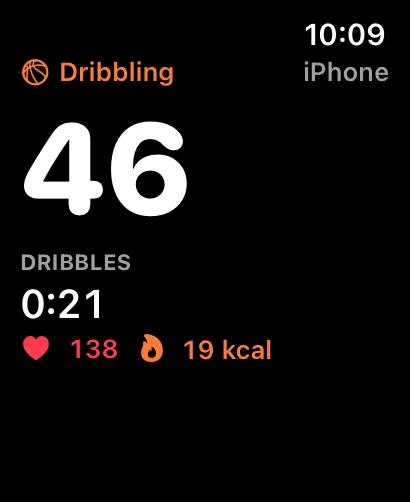
It can count at the wrist. Under "Count at the wrist" on the Watch home screen there are two drills: Jump rope and Dribbling. Wrist dribbling uses the Watch's motion sensors instead of the camera, so you do not need to set up the phone at all. It is part of TouchTally Pro; without it the Watch shows "Wrist dribbling comes with TouchTally Pro on your iPhone."
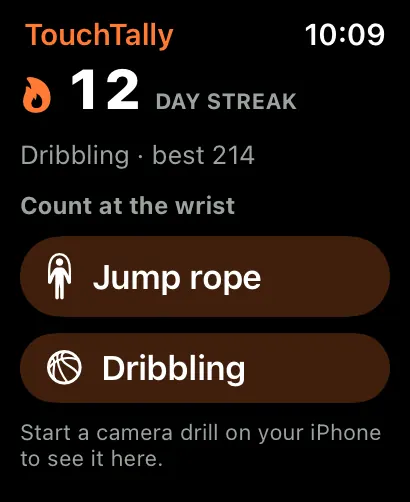
A wrist session runs a workout on the Watch with heart rate and calories, and when it ends with at least one dribble it is saved to Health. The motion is analysed on the Watch itself. More in the Apple Watch post.
Pair it with the other basketball drills
Dribbling is a good warm-up for the two Pro basketball drills. The shot tracker counts makes and misses at the hoop, and the vertical jump test measures how high you jump.
Is the dribble counter free?
Yes. Dribbling with the iPhone camera is a free drill with no session limit. Counting dribbles at the wrist with Apple Watch is part of Pro.
Where should I put the phone for dribbling?
Upright, 2–3 m away, at about knee height. The ball and your hips must stay in the frame, because a dribble only counts when the ball's low point is below your hips.
Can it count two-ball dribbling?
TouchTally follows the one ball you lock on to, so it is built for one ball at a time.
Does the Apple Watch need the iPhone camera?
Not for wrist dribbling. The Watch counts from its own motion sensors. To mirror a camera session, the iPhone does the counting and the Watch shows it.
Does a dribbling set save to Apple Health?
A Watch workout runs while you count, and wrist sessions with at least one dribble are saved to Health. The Watch needs your permission to read and save workout data.
Keep reading
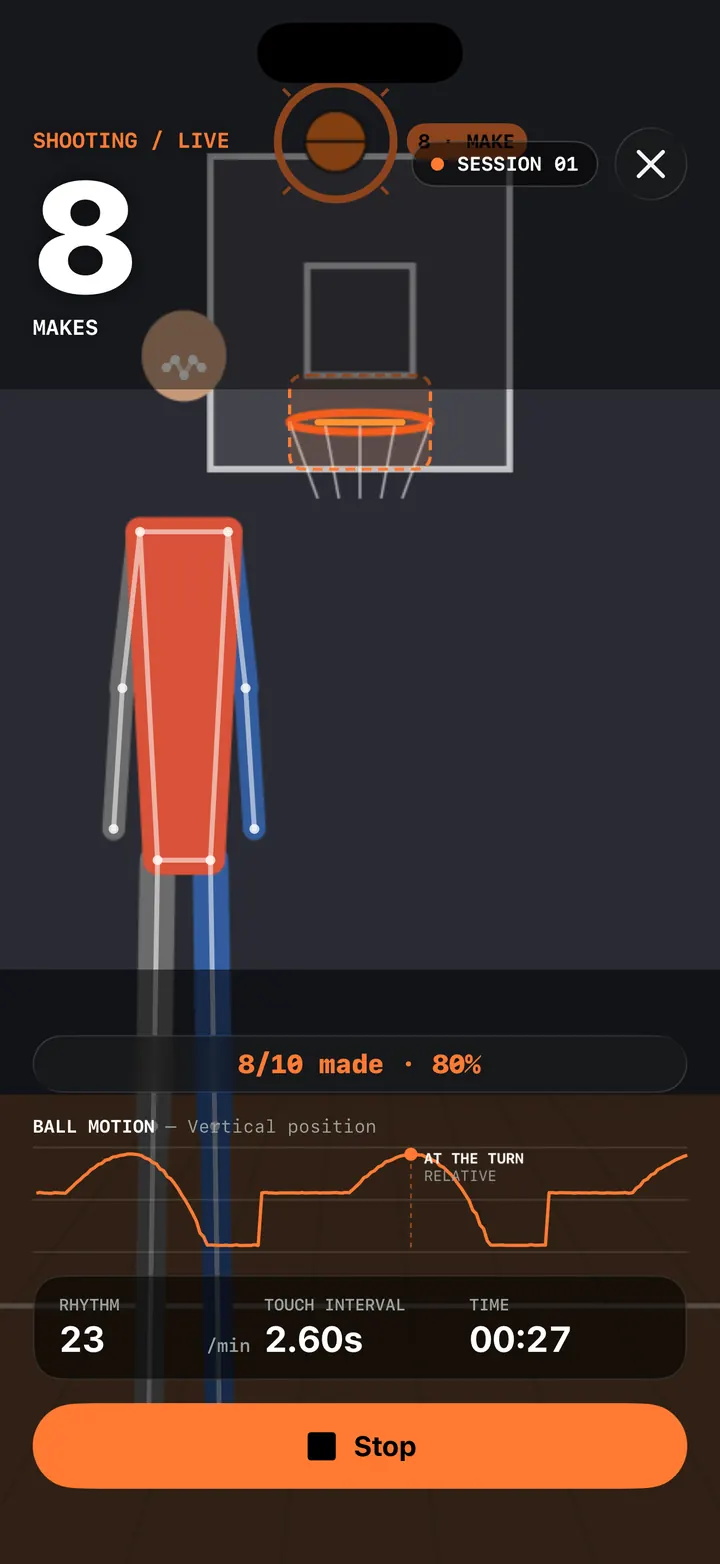
Basketball shot tracker: count makes and misses with AR hoop placement
TouchTally's Shooting drill counts makes and misses from the iPhone camera. Tap the rim to place the hoop with AR, then shoot and see made, missed and your %.
Read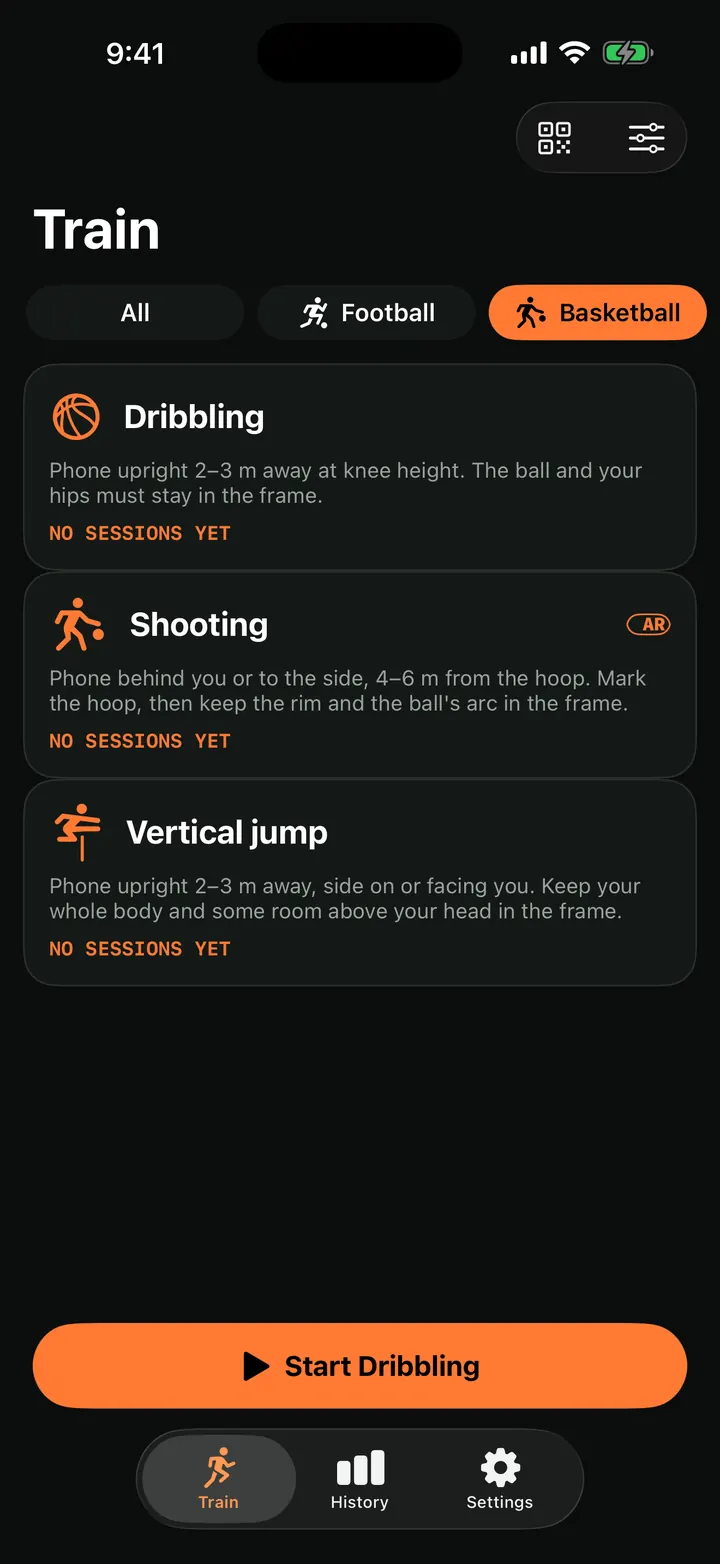
Vertical jump test: measure your jump height with your iPhone
Measure your vertical jump with TouchTally: the iPhone camera counts each jump and works out its height from flight time, or from AR body tracking if supported.
Read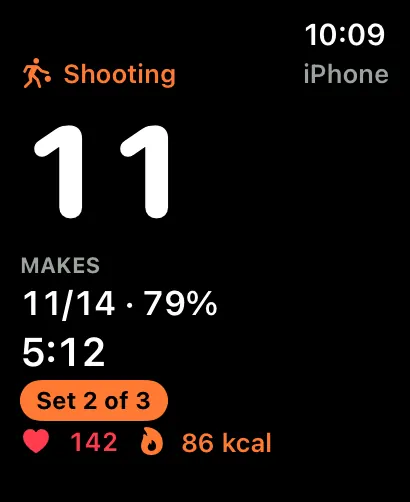
TouchTally on Apple Watch: live count, controls and wrist counting
See the live count from your iPhone on Apple Watch, pause or skip a block from the wrist, record a Health workout and count jump rope with the Watch alone.
ReadHow to set up your phone to count soccer juggling
Where to put your phone, how far away, and what light and background to use so TouchTally counts every juggling touch. Plus quick fixes when the count is off.
Read guide